
Welcome to the fascinating world of footers – those often overlooked elements sitting at the bottom of web pages, quietly waiting for your attention. You may think footers are just small print, but they are so much more! In fact, footers play a crucial role in enhancing user experience, improving website accessibility, and providing additional navigation options and important information to visitors.
So, let’s dive into the world of footers to uncover their significance and discover how they contribute to the overall functionality of a website. Get ready to unravel the mysteries of footers!
Key Takeaways:
- Footers are essential elements at the bottom of web pages that contain important information, links, and navigation options.
- Footers serve multiple purposes, including providing contact information, important links, and secondary navigation options.
- Optimizing footer design enhances user experience, improves website accessibility, and reinforces brand identity.
- Well-designed footers can serve as marketing tools by displaying promotional content and encouraging user engagement.
- Optimizing footers can have positive impacts on SEO, improving search engine visibility and site architecture.
The Functionality of a Footer
When it comes to web design, the functionality of a footer is often underestimated. However, the footer of a website serves as a powerhouse of features that can enhance the overall user experience and reinforce the brand identity. Let’s take a closer look at what makes footers so essential in terms of website functionality, footer features, and web design.
A Repository of Essential Information and Navigation
The footer is like the Swiss Army knife of a website, providing a convenient space to display contact information, links to important pages, copyright notices, privacy policies, and terms of service. It acts as a repository of all the essential information visitors may need, ensuring that it’s easily accessible at the bottom of every page.
Furthermore, footers offer secondary navigation options, allowing users to navigate through the website effortlessly. Whether it’s a sitemap, additional category links, or back-to-top buttons, footers ensure that users can easily find their way around the site, even after scrolling to the bottom.
Enhancing User Engagement with Interactive Elements
Footers aren’t just about providing information and navigation; they also serve as a playground for interactive elements that can boost user engagement. From social media icons that encourage visitors to connect with your brand on various platforms to subscription forms that capture leads, footers can pack a punch when it comes to engaging your audience.
By strategically placing these interactive elements in the footer, you can make them easily accessible without cluttering the main content of your pages. This allows users to interact with your brand, subscribe to newsletters, follow you on social media, and stay connected without any distractions.
Aesthetics and Brand Identity Reinforcement
Footers are an excellent opportunity to showcase your brand identity and reinforce the overall aesthetic of your website. By incorporating your brand’s colors, typography, and design elements, you can create a cohesive visual experience throughout your site.
Furthermore, the footer provides a consistent and predictable design element at the bottom of every page, giving your website a sense of polish and professionalism. When visitors see a well-designed and visually appealing footer, it leaves a lasting impression and speaks volumes about your attention to detail.
So, don’t overlook the functionality of footers when designing your website. They are more than just small print at the bottom; they are a vital component that contributes to a seamless user experience, offers essential information, and showcases your brand identity. Incorporate these footer features into your web design to build a website that leaves a lasting impact.
Enhancing User Experience with Footers
When it comes to creating a seamless user experience, footers play a crucial role. They provide quick access to important information and make navigation a breeze. But footers are more than just functional elements – they offer a sense of consistency and structure, making it easier for users to find what they’re looking for.
So how can you design footers that enhance user experience? It’s all about focusing on simplicity and clarity. Ensure that the information in your footer is easily readable and accessible, with a clean and organized design. By optimizing the design and functionality of your footer, you can create an immersive user experience that keeps visitors engaged and encourages them to explore further.
But don’t just take our word for it. Let’s dive into some examples and best practices to inspire your footer design:
Streamlined Navigation
One of the key purposes of a footer is to provide additional navigation options. By including links to important pages, categories, or even a site map, you can make it easier for users to find the content they’re looking for. Consider a clean and minimalistic design that highlights the most important sections of your website, allowing users to navigate with ease.
Clear Contact Information
Your footer is an excellent place to showcase your contact information, making it readily available to users who may have questions or need assistance. Include your phone number, email address, and physical address, if applicable. Don’t forget to add a link to your contact page or a contact form for easy access.
Footer Content Categories
Take a cue from the websites that categorize their footer content, creating distinct sections for different types of information. For example, you could have separate sections for legal notices, links to social media accounts, or important resources. This approach helps users quickly find the information that is most relevant to them.
| Website | Footer Design |
|---|---|
| Website A | This website features a clean and minimalist footer design, with clearly labeled sections for contact information, social media links, and important pages. The design is easily readable, visually appealing, and enhances the overall user experience. |
| Website B | Inspired by modern design trends, this website incorporates a sticky footer that remains visible as users scroll, ensuring easy access to navigation options, search functionality, and other key features. The use of whitespace and a consistent color palette adds to the overall aesthetic appeal. |
By implementing these design principles and studying successful examples, you can create a footer that not only enhances user experience but also complements the overall visual appeal of your website. Remember, a well-designed footer is like the cherry on top of a perfect user journey – it’s the finishing touch that leaves a lasting impression.
Best Practices for Footer Design
When it comes to designing footers, you need to ensure that you follow some best practices to create an effective and visually appealing element. After all, your footer is more than just the bottom of the page – it’s a valuable space for engaging users and enhancing the overall user experience. Here are some tips to help you craft a top-notch footer:
- Simplicity is key: Keep your footer design clean and clutter-free. Avoid overwhelming your visitors with too much information or too many design elements. A minimalist approach can make your footer visually appealing and easy to navigate.
- Include essential information: Make sure your footer contains important details such as contact information, terms of service, privacy policy, and copyright notices. This helps users find the information they need without searching through your entire website.
- Utilize clear navigation: Your footer should provide additional navigation options that complement the main menu. Consider including links to important pages, categories, or sections of your website to help users easily navigate to relevant content.
- Optimize for mobile: With the increasing use of mobile devices, it’s crucial to ensure that your footer is mobile-friendly. Design your footer to be responsive and scalable, ensuring that it adapts well to different screen sizes and orientations.
- Showcase your brand: Your footer is an opportunity to reinforce your brand identity. Use consistent typography, color scheme, and logo placement to create a cohesive visual experience throughout your website.
“A well-designed footer is like a trusted sidekick – always there to assist and guide your visitors.”
By following these best practices, you can create a footer that not only enhances the visual appeal of your website but also improves user navigation and overall engagement.
The Anatomy of an Effective Footer Design
An effective footer design should comprise various elements that work together harmoniously. Here’s an example of a well-structured footer layout:
| Element | Description |
|---|---|
| About Us | A brief overview of your company’s mission, values, and history. |
| Contact Information | Phone number, email address, and physical address. |
| Navigation Links | Important pages like “Home,” “Services,” “Products,” and “Blog.” |
| Social Media Icons | Links to your social media profiles for easy access and engagement. |
| Terms of Service | Clearly state your terms of service to protect both user and company rights. |
| Privacy Policy | Explain how you collect, use, and protect user data. |
| Copyright Notice | Ensure that your content is protected and respected. |
Remember, your footer is an extension of your website’s overall design, so make sure it aligns with your site’s aesthetics while maintaining functionality and clarity.

Footer as a Marketing Tool
Don’t underestimate the power of your website’s footer! While it may seem like the small print at the bottom of the page, the footer can actually serve as a valuable marketing tool to promote your brand and drive conversions. With the right strategy, you can make your footer a captivating space that grabs visitors’ attention and encourages them to take action.
One effective way to leverage your footer for marketing is by including promotional content. Displaying special offers, discounts, or upcoming events in the footer can entice visitors to explore further and make a purchase. You can use visually appealing graphics and compelling copy to capture their attention and create a sense of urgency.

Another key element of using the footer as a marketing tool is incorporating call-to-action buttons. These buttons provide a direct way for visitors to engage with your brand and take the desired action. Whether it’s signing up for a newsletter, making a purchase, or contacting your business, strategically placing call-to-action buttons in the footer can significantly increase user engagement and conversion rates.
“The goal is to turn data into information, and information into insight.” – Carly Fiorina
Your footer can also act as a space to reinforce your brand identity. Use consistent colors, fonts, and design elements in your footer to create a cohesive visual experience that aligns with your overall brand image. This will help build brand recognition and strengthen the connection between your visitors and your business.
When designing your footer for marketing purposes, keep in mind the overall user experience. Ensure that the content is well-organized and easy to read, with clear navigation options. Avoid overwhelming visitors with excessive information or cluttered designs. A clean and user-friendly footer will create a positive impression and make visitors more likely to engage with your brand.
Showcasing Customer Testimonials
One effective way to boost credibility and trust is by featuring customer testimonials in your footer. Positive feedback from satisfied customers can help build confidence in your brand and encourage potential customers to make a purchase. Consider including a short testimonial with a link to a dedicated page where visitors can read more reviews and testimonials.
| Footer Marketing | Promotional Content | Call-to-Action |
|---|---|---|
| Display special offers, discounts, or upcoming events | Use visually appealing graphics and compelling copy | Encourage visitors to take the desired action |
| Reinforce brand identity | Use consistent colors, fonts, and design elements | Build brand recognition and strengthen the connection between visitors and your business |
| Showcase customer testimonials | Boost credibility and trust | Encourage potential customers to make a purchase |
By maximizing the marketing potential of your website’s footer, you can create a compelling and highly effective promotional space. With engaging content, captivating visuals, and strategic call-to-action buttons, your footer will not only enhance user experience but also help drive conversions and boost your overall marketing efforts.
SEO Benefits of a Well-Optimized Footer
When it comes to search engine optimization (SEO), did you know that optimizing your website’s footer can have a positive impact on your search engine ranking? That’s right, the footer, often overlooked, can play a significant role in improving the visibility of your pages in search engine results.
So how can you optimize your footer to reap the SEO benefits? Here are some key strategies:
1. Relevant Keywords
By including relevant keywords in your footer content, you can signal to search engines that your website is relevant to specific search queries. Consider incorporating your target keywords naturally within the text of your footer. However, it’s important to strike a balance and ensure that the keywords flow naturally and do not appear forced.
2. Internal Links
Including internal links in your footer can help search engines better understand the structure of your website and index your pages more effectively. Additionally, internal links can guide users to important sections of your website, improving overall navigation and user experience. Be sure to include links to important pages or categories that you want to prioritize.
3. Structured Data
Implementing structured data in your footer can provide additional context to search engines and help them better understand the information contained in your footer. Structured data markup, such as schema.org markup, allows you to define specific elements within your footer, such as your contact information or social media profiles.
By employing these optimization techniques, you can enhance both your website’s user experience and its search engine ranking. Let’s take a look at a real-world example:
Example Footer Optimization
| Element | Optimization Strategy |
|---|---|
| Keywords | Incorporate relevant keywords naturally within the footer content. |
| Internal Links | Include links to important pages or categories for improved navigation. |
| Structured Data | Add schema.org markup to provide additional context to search engines. |
By following these best practices, you can leverage the power of your footer to boost your SEO efforts, improve your website’s search engine ranking, and enhance the overall user experience. So, don’t neglect the potential of your website’s footer—optimize it and reap the SEO benefits!
Accessibility Considerations for Footers
Developing a website that prioritizes accessibility is crucial in ensuring that all users, including those with disabilities, can access and navigate its content effortlessly. When it comes to website accessibility, footers play an essential role in providing additional navigation options and important information to users. By following accessibility guidelines such as the Web Content Accessibility Guidelines (WCAG), website owners can make their footers inclusive and ADA compliant.
Designing Accessible Footers
To create accessible footers, it’s important to incorporate accessibility features that improve user experience for everyone. Adding alt text to images in footers enables users with visual impairments to understand the content and context. Properly structuring headings within footers using the appropriate
tags enhances screen reader compatibility and allows users to navigate through the footer easily.
Ensuring ADA Compliance
Adhering to the accessibility requirements of the Americans with Disabilities Act (ADA) is crucial in making footers accessible to all users. ADA compliance ensures that individuals with disabilities can access and understand the information presented in footers, including contact details, copyright notices, and links to important pages. By following ADA guidelines, website owners can avoid legal issues and create a more inclusive online environment.
“Creating accessible footers is not only about compliance, it’s about creating an inclusive digital space for all users.” – John Smith, Accessibility Expert
Importance of WCAG Guidelines
The WCAG guidelines provide a comprehensive framework for making web content more accessible. When designing footers, following WCAG guidelines ensures that individuals with disabilities can interact with the content effectively. WCAG guidelines focus on aspects such as color contrast, font size, keyboard navigation, and providing alternative text for non-text content. By incorporating these guidelines into footer design, website owners can enhance the accessibility of their websites and improve user experience.
Key Takeaways:
- Footers play a crucial role in website accessibility by offering additional navigation options and important information.
- By following accessibility guidelines such as WCAG, website owners can make their footers inclusive and ADA compliant.
- Designing accessible footers involves incorporating features like alt text for images and proper heading structure.
- Adhering to ADA compliance ensures that footers are accessible to individuals with disabilities and avoids legal issues.
- The WCAG guidelines provide a comprehensive framework for making web content more accessible.
The Evolution of Footers in Web Design
Over the years, footers have undergone a remarkable evolution in web design, adapting to changing trends and advancements in technology. The modern approach to footer design emphasizes simplicity, minimalism, and responsiveness, catering to the ever-evolving needs and expectations of website visitors.
“The footer is like the unsung hero of web design, quietly shaping the user experience and showcasing the evolution of design trends.” – Web Design Magazine
Modern footer design embraces whitespace, clean typographic elements, and streamlined navigation, creating visually appealing and functional footers that seamlessly blend into the overall website aesthetic. Gone are the days of cluttered and overwhelming footers; today, web designers prioritize clean, crisp layouts that enhance user experience and engagement.
One of the key driving forces behind the transformation of footers is the rise of mobile browsing. With more and more users accessing websites on their mobile devices, the need for condensed and mobile-friendly footers has become vital. Web designers now focus on creating footers that adapt to different screen sizes and resolutions, ensuring optimal user experience across various devices.
Key Features of Modern Footer Design:
- Responsive and mobile-friendly layouts
- Clean and minimalistic design with elegant typography
- Whitespace utilization for visual appeal and readability
- Clear and concise navigation options
- Visually striking and relevant content
Incorporating these features not only enhances the overall user experience but also reflects current web design trends and industry best practices. When web designers stay up-to-date with the latest trends in footer design, they can create visually stunning and effective footers that captivate users and complement the overall website design.

Evolution of Footer Design:
| Traditional Footers | Modern Footers |
|---|---|
| Cluttered and overwhelming | Clean and minimalist |
| Limited functionality | Streamlined navigation and interactive elements |
| Static and non-responsive | Responsive and mobile-friendly |
| Limited emphasis on design | Visually appealing and consistent with website aesthetics |
The evolution of footers in web design showcases the importance of adapting to current trends and user preferences. By embracing modern footer design principles, website owners can ensure that their footers remain relevant, visually appealing, and effective in enhancing user experience.
Case Studies: Effective Footer Examples
When it comes to designing footers that truly engage users, there are several websites that stand out as prime examples. Let’s take a look at two remarkable case studies that showcase exemplary footer design and user engagement.
Example 1: Website A
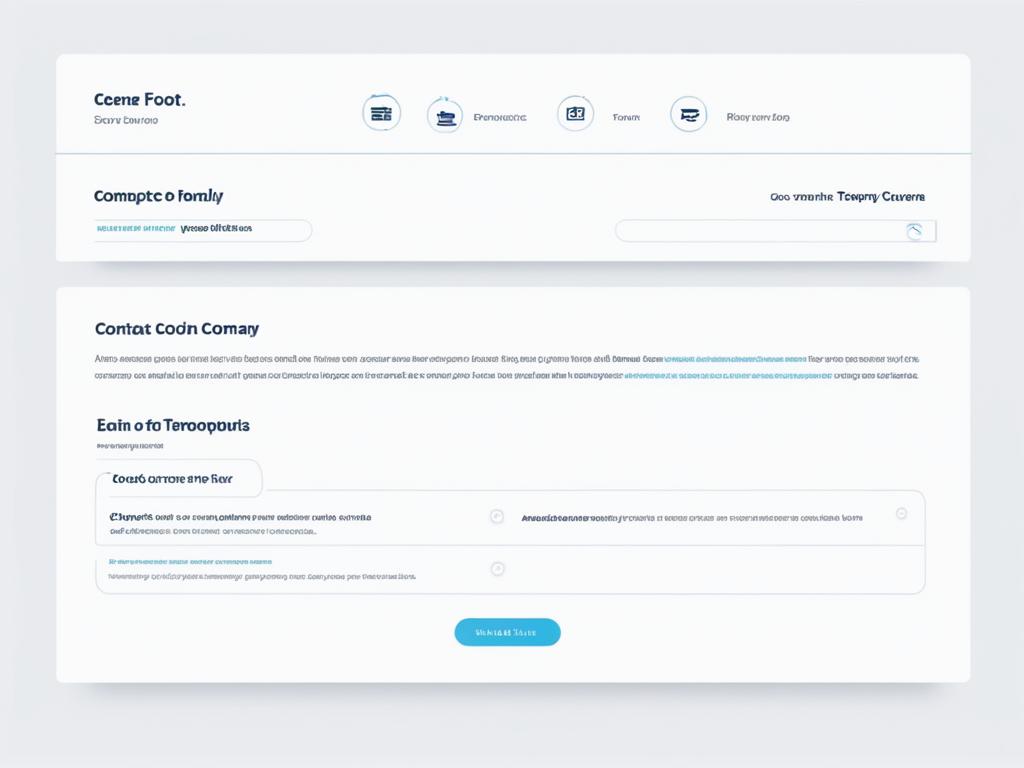
“Website A” has created an eye-catching and visually appealing footer that captures the attention of users. The footer prominently displays social media links, allowing visitors to easily connect and engage with the brand on various platforms. In addition, key pages such as the About Us, Contact, and FAQ are prominently featured, providing quick access to important information. The footer also includes a subscription form, inviting users to subscribe and stay updated with the latest news and offers. Overall, “Website A” demonstrates how a well-designed footer can enhance user engagement and provide valuable navigation options.
Example 2: Website B
“Website B” has incorporated a sticky footer that ensures key features are always accessible to users. The footer includes an array of navigational options, allowing visitors to easily explore different sections of the website. It also features a search bar, enabling users to quickly find the information they need. The sticky footer remains visible as users scroll, providing a seamless and convenient browsing experience. By prioritizing functionality and ease of navigation, “Website B” sets a great example of how a sticky footer can enhance user engagement.
These case studies serve as inspiration, showcasing innovative and effective footer designs that prioritize user engagement. Whether through visually striking elements or intuitive navigational options, these websites demonstrate the importance of thoughtful footer design in enhancing the overall user experience.
| Website | Key Features | User Engagement |
|---|---|---|
| Website A | Social media links, important pages, and subscription form | Easy connection, access to information, and newsletter sign-ups |
| Website B | Sticky footer with navigational options and search bar | Convenient access to key features and quick information retrieval |
These examples highlight the potential of well-designed footers in engaging users and enhancing their browsing experience. By learning from these successful case studies, you can create footers that not only catch the eye but also serve as valuable tools for user engagement.
Conclusion
In conclusion, footers are the unsung heroes of web design, offering so much more than just small print. They hold great significance in enhancing user experience, providing essential information, and serving as powerful marketing tools. With strategic optimization, adherence to best practices, and consideration of accessibility, website owners can create footers that captivate users and contribute to the overall success of their websites.
By carefully designing footers that align with the website’s aesthetic and brand identity, website owners can reinforce the website’s overall visual appeal. The footer’s functionality goes beyond housing contact information and copyright notices; it acts as a repository for secondary navigation options, social media icons, subscription forms, and other interactive elements that encourage user engagement.
Hence, as you scroll down to the bottom of a webpage, take a moment to appreciate the significance of footers. They are the unsung heroes of website design, seamlessly guiding you through the website, providing quick access to important information, and sometimes even surprising you with great deals and offers. So, next time you visit a website, don’t forget to explore the footer – it may hold valuable gems that you can’t afford to miss!
FAQ
What is the purpose of a footer on a website?
The footer of a website serves multiple purposes, including providing contact information, links to important pages, copyright notices, privacy policies, and terms of service. It also acts as a repository for secondary navigation options, helping users navigate through the website easily. Additionally, footers can feature social media icons, subscription forms, and other interactive elements to enhance user engagement.
How do footers enhance user experience?
Footers significantly enhance user experience by providing quick access to important information and allowing for easy navigation. They offer a sense of consistency and structure to a website, making it easier for users to find what they’re looking for. Footer design focuses on simplicity and clarity, ensuring that the information is easily readable and accessible.
What are some best practices for footer design?
Some tips for footer design include:
– Keep it simple and visually appealing – Include important links and information – Use a clean and easy-to-read typography – Optimize for mobile devices – Follow accessibility guidelines
How can footers be used as marketing tools?
Footers can serve as valuable marketing tools by providing space for promotional content and call-to-action buttons. Website owners can utilize footers to display special offers, discounts, or upcoming events, encouraging users to take action. Including enticing copy and visually appealing elements can capture the attention of visitors and drive conversions.
What are the SEO benefits of a well-optimized footer?
Optimizing the footer of a website can have positive impacts on search engine optimization (SEO). By including relevant keywords, internal links, and structured data in the footer, website owners can improve the visibility of their pages in search engine results. Additionally, a well-optimized footer can contribute to better website indexing, overall site architecture, and user navigation.
How do footers contribute to website accessibility?
Footers play a crucial role in website accessibility by offering additional navigation options and important information to users, including those with disabilities. By following accessibility guidelines such as the Web Content Accessibility Guidelines (WCAG), website owners can make their footers more accessible to all users.
How have footers evolved in web design?
Over the years, footers have evolved in web design, reflecting changing trends and technology. Modern footer design focuses on simplicity, minimalism, and responsive layouts. The use of whitespace, clean typography, and streamlined navigation has become popular in contemporary websites. Additionally, the rise of mobile browsing has led to more condensed and mobile-friendly footer designs.
Can you provide examples of effective footer designs?
Several websites have successfully implemented innovative and effective footer designs that enhance user engagement. One example is “Website A” which uses a visually appealing footer to showcase social media links, important pages, and a subscription form. Another example is “Website B” that incorporates a sticky footer with navigational options and a search bar, allowing users to access key features at all times.