

Have you ever scrolled all the way down to the bottom of a website and wondered what that section is called? Well, it’s called a footer, and it’s more important than you might think! In the world of website design and web development, the footer plays a crucial role in shaping the overall structure and user experience.
So, what exactly is a footer? Simply put, it’s the closing section of a webpage located at the bottom. Similar to the footer of a document, it provides essential information and serves as a visual conclusion to the content. But that’s not all it does!
A well-designed footer can contain various elements, including contact details, links to important pages, copyright information, and more. It acts as a one-stop destination for users to find additional resources and engage further with the website. It’s like the cherry on top of a perfectly crafted website sundae!
Key Takeaways:
- A footer is a crucial element of website design and web development.
- It is located at the bottom of the page and serves as a closure for the content.
- A well-designed footer can contain contact details, important links, copyright information, and more.
- The footer plays an important role in creating a well-structured and professional website.
- Don’t underestimate the power of the footer—it’s the last impression visitors have of your site!
The Importance of a Footer in Website Design
When it comes to website design, every detail matters. And one often overlooked yet essential component is the footer. You might think of it as the “unsung hero” of website navigation, but trust us, it plays a crucial role in creating an exceptional user experience.
So, what makes the footer so important? Well, for starters, it helps users navigate your website with ease. By including links to key pages and resources, the footer ensures that visitors can quickly access the information they need. Whether it’s your contact page, FAQ section, or terms of service, a well-designed footer streamlines user navigation, saving them precious time and effort.
But that’s not all—the footer also impacts your website’s SEO. By incorporating relevant keywords and internal links in the footer, you can optimize your site’s visibility in search engine results. This means that search engines like Google can better understand and categorize your content, improving your chances of ranking higher in search results.
Moreover, the footer is a prime opportunity for user engagement. It’s a perfect place to display important contact information, such as your email address or phone number. By making it easily accessible, you’re providing visitors with a direct line to reach out, boosting their confidence in your professionalism and service. You can also include social media links in the footer to encourage users to connect with you on various platforms, expanding your online presence.
Think of the footer as the cherry on top of an already delightful user experience sundae. It’s not just a design element—it’s a tool that enhances navigation, boosts SEO, and fosters user engagement.
So, when you’re planning your website design, don’t neglect the power of the footer. It may seem small, but its impact is mighty. Take the time to craft a well-structured and visually appealing footer that aligns with your brand’s identity and user interface.
Remember, website design is all about creating an exceptional user experience, and the footer is an integral part of that equation. Embrace its importance, unleash its potential, and watch your website soar to new heights!
Understanding the Elements of a Footer
When it comes to website design, the footer is often an unsung hero. But don’t let its placement at the bottom of the page fool you – the footer is a powerhouse of valuable information and functionality. It’s like the cherry on top of a perfectly crafted webpage sundae. So, let’s unpack the elements that make up a footer and discover why they’re so important.
Key Elements in a Footer
In a typical footer, you’ll find a treasure trove of goodies that help users easily access important information and engage with the website. Let’s take a closer look at some of these essential elements:
- Contact Information: The footer is an ideal spot to display your contact information, such as phone numbers and email addresses. This allows visitors to reach out to you with queries or feedback without having to hunt around the website.
- Links: A well-designed footer includes links to important pages like terms of service, privacy policy, or FAQs. This ensures easy access to vital information that users may need.
- Copyright Information: Adding copyright information at the bottom of your page helps protect your content and lets users know that your website is legit.
- Social Media Links: Engaging with your audience on social media is a great way to build a community and promote your brand. Including social media links in the footer encourages visitors to connect with you on platforms like Facebook, Twitter, or Instagram.
With these elements in place, your footer becomes a hub of functionality, offering users easy access to essential information and encouraging them to further interact with your website and its content. It’s like your website’s personal concierge, making sure everyone feels welcome and supported.

| Footer Elements | Benefits |
|---|---|
| Contact Information | Enables easy communication with visitors |
| Links | Provides quick access to important pages |
| Copyright Information | Protects your content and asserts ownership |
| Social Media Links | Boosts brand engagement by connecting with visitors on social platforms |
As you can see, each footer element serves a purpose and contributes to the overall user experience. By incorporating these elements into your website’s footer, you’ll not only enhance navigation and user engagement, but also showcase professionalism and attention to detail.
Customizing a Footer for Your Website
When it comes to creating a website, you have the freedom to customize every aspect of it, right down to the footer. Why settle for a generic footer when you can make it a seamless extension of your branding and design? By taking the time to personalize your footer, you can create a cohesive and visually appealing website that leaves a lasting impression on your audience.

Customizing your footer starts with aligning it with your brand identity. Consider using your website’s color scheme within the footer to create a harmonious visual connection. Choose font styles that reflect the tone and personality of your brand, ensuring consistency across your entire website.
Take inspiration from industry leaders like Apple, whose meticulously designed footer complements their sleek and minimalist brand image. Every element in their footer, from the color palette to the typography, exudes elegance and professionalism.
Another way to customize your footer is by incorporating your logo into its design. Placing your logo in the footer adds a touch of professionalism and reinforces your brand identity. It also allows users to easily recognize and remember your website when they see your logo in other contexts.
While branding is important, personalization is key to creating an engaging user experience. Consider adding unique elements to your footer that capture your audience’s attention. This could include a personalized message in the footer, thanking visitors for their support or offering a special discount for first-time customers.
For example, e-commerce giant Amazon excels at personalizing their footer. They display tailored product recommendations based on users’ browsing and purchasing history, enticing them to explore further and make additional purchases.
When customizing your footer, it’s important to think beyond aesthetics and consider the functionality as well. Make sure to include important links in your footer, such as contact information, terms of service, and privacy policy. This makes it convenient for users to access crucial information without having to scroll through the entire website.
To summarize, customizing your footer is a valuable opportunity to leave a lasting impression on your website visitors. By aligning it with your branding, incorporating personalized elements, and ensuring its functionality, you can create a cohesive and visually appealing website that enhances the overall user experience.
Best Practices for Designing a Footer
When it comes to designing a footer for your website, there are certain best practices to keep in mind. A well-designed footer can greatly enhance the overall user experience, making your website more readable, organized, and user-friendly. By following these best practices, you can create a footer that not only looks visually appealing but also provides valuable information and functionality to your users.
Use Clear and Legible Font Styles
One of the key aspects of a well-designed footer is the use of clear and legible font styles. Avoid fancy or complex fonts that may be difficult to read. Instead, opt for simple and readable fonts that complement the overall design of your website. Remember, readability is key.
Appropriate Spacing and Alignment
Proper spacing and alignment are crucial in ensuring that the elements in your footer are well-organized and visually appealing. Be mindful of the spacing between different sections or links within the footer. Additionally, align the elements in a logical order that makes sense to the user. This will help improve the readability and overall aesthetic appeal of your footer.
Organize Elements in a Logical Order
An organized footer is a user-friendly footer. Arrange the elements within your footer in a logical order so that users can easily locate and access the information they need. For example, place contact information, such as phone numbers and email addresses, at the top of the footer for easy visibility. Follow this with links to important pages, copyright information, and any other relevant details. This organization will enhance usability and make it easier for users to navigate your website.
Keep the Design Simple and Clutter-Free
A cluttered footer can overwhelm users and detract from the overall user experience. Keep the design of your footer simple, clean, and free from unnecessary clutter. Avoid overcrowding the footer with too many elements or excessive text. Instead, focus on displaying only the essential information that users need. By maintaining a clean and clutter-free design, you’ll create a more visually appealing and user-friendly footer.
Implementing these best practices for footer design will help you create a footer that is not only visually appealing but also enhances the overall user experience of your website. By prioritizing readability, simplicity, organization, and user-friendliness, you’ll ensure that your footer serves as an effective and valuable component of your website’s design.

How to Create a Footer in Excel
If you’re looking to add the finishing touch to your Excel worksheet, creating a footer is the way to go. With the ability to include page numbers, document information, and other details, an Excel footer can provide a professional touch to your data. Plus, the best part is, it’s super easy to do!
Creating a footer in Excel involves accessing the header and footer tools, selecting the elements you want to include, and customizing its appearance. Let’s walk through the process step by step:
- Open the worksheet you want to create a footer for in Microsoft Excel.
- Click on the “Insert” tab at the top of the Excel menu.
- Locate the “Text” section and click on the “Header & Footer” button. This will open the header and footer editing mode.
- Once you’re in the header and footer editing mode, you’ll notice a new tab called “Design” appearing on the Excel menu. This tab contains various options to customize your footer.
- In the “Design” tab, you’ll find preset options for common headers and footers. These options are an excellent starting point if you’re looking for a professional-looking footer without much customization.
- If you prefer a more personalized footer, you can use the custom options provided in the “Design” tab. You can add page numbers, document information, and even insert images or logos into your footer.
- To insert a page number, click on the “Page Number” button in the “Design” tab and select the desired format from the dropdown menu.
- To include document information such as the file name, date, or author, click on the “Document Info” button in the “Design” tab. Choose the information you want to display from the dropdown menu.
- For a completely customized footer, click on the “Custom Footer” button in the “Design” tab. This will open a dialog box where you can enter your desired text or insert images using HTML tags.
- Once you’ve customized your footer to your liking, click on the “Close Header and Footer” button in the “Design” tab to exit the header and footer editing mode.
- Voila! You’ve successfully created a footer in Excel.
Here’s an example of what your customized footer in Excel might look like:
| Element | Description |
|---|---|
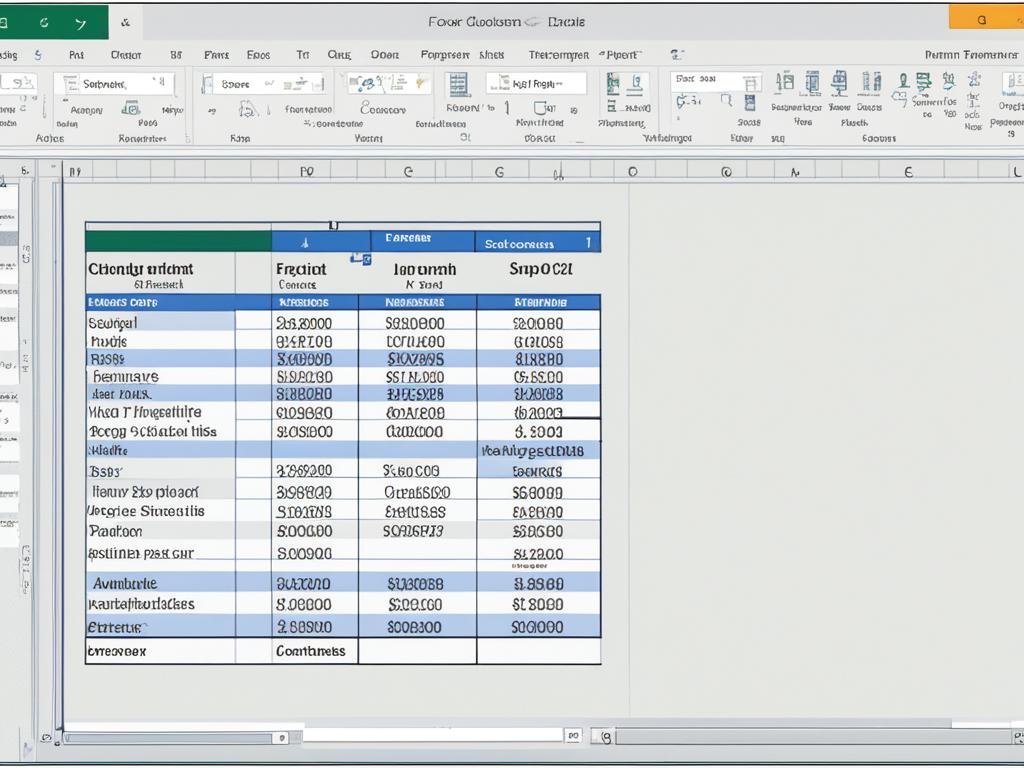 | Your customized footer |
With Excel’s footer feature, you can add a professional touch to your worksheets, making them easier to navigate and provide important information to your audience. Whether you need to include page numbers, document information, or any other details, creating a footer in Excel couldn’t be simpler!
Types of Concrete Footers in Construction
When it comes to building foundations in construction, concrete footers are a fundamental element. Different types of concrete footers are used based on specific construction requirements. Let’s explore some common types of concrete footers:
-
T-shaped footers
T-shaped footers are widely used in residential construction projects. As the name suggests, they resemble the letter “T” when viewed from above. These footers provide stability and support for the foundation of a building.
-
Slab-on-grade footers
Slab-on-grade footers are ideal for buildings constructed with concrete slab foundations. These footers are poured directly onto the ground and function as both the footer and the slab foundation, providing a solid base for the structure.
-
Frost-protected footers
In cold climates, frost can cause the ground to freeze and heave, potentially damaging the foundation. Frost-protected footers are designed to prevent this by incorporating insulation and frost depth considerations to keep the ground stable.
-
Pier footers
Pier footers are used to support individual piers or columns in elevated structures. These footers provide stability and distribute the load evenly, ensuring the structural integrity of the building.
Each type of concrete footer serves a specific purpose in construction, catering to different building designs and environmental factors. Choosing the right footer type is crucial to ensure a strong and durable foundation.

The Construction Process of Concrete Footers
Building a strong and durable concrete footer involves a step-by-step construction process. Each stage is essential in creating a foundation that will provide stability and support for the entire structure. Let’s dive into the details of the construction process:
1. Excavation
The first step is to excavate a trench at the building site. This trench will serve as the foundation for the concrete footer. Careful excavation ensures that the footer will be placed at the correct depth and location, based on engineering specifications.
2. Reinforcement
Once the trench is excavated, the next step is to reinforce the footer with steel rebar. The rebar adds strength and durability to the concrete. It helps distribute the load evenly and prevents cracking and structural failures.
3. Formwork
After reinforcing the footer, formwork is created to shape the concrete. Formwork is typically made of wood, metal, or plastic and serves as a mold for the concrete. It ensures that the poured concrete will have the desired shape and dimensions.
4. Concrete Pouring
With the formwork in place, it’s time for concrete pouring. High-quality concrete is mixed and poured into the formwork, filling it completely. The concrete should be compacted to eliminate air pockets and achieve maximum strength.
5. Curing
Once the concrete is poured, it needs time to cure and gain strength. Curing is a critical phase that involves providing the right conditions, such as optimal temperature and moisture levels, for the concrete to harden properly. This process enhances the durability and longevity of the concrete footer.
By following this construction process, you can ensure the creation of a solid and stable concrete footer for your building’s foundation. The excavation, reinforcement, formwork, concrete pouring, and curing steps all work together to provide a strong base for your structure, ensuring its long-term stability and integrity.

The Importance of Concrete Footers in Building Foundations
When it comes to building foundations, concrete footers are an absolute necessity. These humble components play a crucial role in providing stability, load distribution, and protection to the entire structure. But what makes concrete footers so important? Let’s dig deeper into their significance.
First and foremost, concrete footers evenly distribute the weight of the building, ensuring that no single section bears excessive pressure. This helps prevent uneven settling, which can lead to cracks, structural damage, and costly repairs. By providing a solid base, footers contribute to the longevity and integrity of the building.
Furthermore, footers anchor the structure firmly to the ground. This anchoring effect enhances the overall stability of the building, making it more resistant to external forces such as earthquakes or shifting soils. With footers in place, you can rest easy knowing that your building is well-grounded and protected.
Additionally, concrete footers play a vital role in protecting the foundation from moisture. Moisture can wreak havoc on a building, leading to water damage, mold growth, and compromised structural integrity. By creating a barrier between the foundation and the ground, footers minimize the risk of moisture infiltration, safeguarding the entire building.
Concrete footers are the unsung heroes of building foundations. They provide stability, ensure even load distribution, anchor the structure, and protect the foundation from moisture. Whether you’re constructing a residential home or a commercial building, investing in well-designed and properly constructed footers is essential for a solid foundation that can withstand the test of time.
The Impact of Footer Redesign on User Engagement
When it comes to website design, every element plays a crucial role in capturing and retaining user attention. And yes, that includes the often-neglected footer. Redesigning your website’s footer can have a profound impact on user engagement, improving usability, and increasing conversion rates.
But how can you ensure that your footer redesign will hit the mark? It all starts with understanding user behavior and click distribution. By analyzing patterns and trends, you can uncover valuable insights that will inform your footer redesign process.
A well-designed and user-friendly footer is key to improving usability. By organizing information effectively and providing easy access to important pages, users can navigate your website effortlessly. This seamless experience boosts their satisfaction and keeps them engaged for longer periods.
Let’s not forget about conversion rates. A strategically optimized footer can significantly enhance the likelihood of conversions. By including relevant call-to-action buttons or links, you guide users towards desired actions, such as making a purchase or subscribing to a newsletter.
To ensure an effective footer redesign, it’s essential to understand user preferences and behavior. By putting yourself in their shoes, you can tailor your footer design to align with their expectations, making their experience a breeze.
When it comes to footer redesign, usability and conversion rates are key. By analyzing user behavior, understanding click distribution, and creating a well-crafted footer, you can elevate user engagement and drive better results for your website.
| Benefits of Footer Redesign |
|---|
| Improved usability |
| Increased conversion rates |
| Enhanced user experience |
| Streamlined navigation |
Redesigning your footer is an opportunity to optimize your website’s performance and take user engagement to new heights. So, don’t underestimate the power of a well-thought-out footer design!
Case Study: Ambeteco’s Footer Redesign
Let’s dive into a fascinating case study that demonstrates how Ambeteco, a leading e-commerce site, achieved remarkable results with their footer redesign. By conducting an in-depth analysis of user behavior and click distribution, Ambeteco was able to identify key patterns and make strategic changes that significantly impacted user engagement.
“Through our thorough user behavior analysis, we discovered valuable insights that reshaped our footer design. By understanding how users interacted with our website, we were able to create a more intuitive and user-friendly experience.”
The initial investigation revealed that Ambeteco’s existing footer was cluttered and lacked clear navigation options. Users faced difficulties in finding important information and navigating to desired sections, resulting in high bounce rates and missed conversion opportunities.
Armed with this knowledge, Ambeteco initiated a complete redesign of their footer, focusing on simplicity and usability. They strategically placed high-converting elements, such as prominent calls-to-action and links to popular products and services.
“The design principles we employed were centered around enhancing user experience and encouraging conversion. We wanted our footer to be an extension of our brand, delivering value and guiding users towards their desired actions.”
The revamped footer boasted a sleek and modern design, with clearly defined sections and intuitive navigation options. Important contact information, social media links, and copyright details were strategically placed, ensuring easy access for users.
The results of the footer redesign were nothing short of remarkable. Ambeteco witnessed a significant reduction in bounce rates, indicating that users were finding value and staying on the website for longer periods of time. The strategically placed calls-to-action and product links resulted in improved conversion rates, directly impacting the company’s bottom line.
Through meticulous analysis and a well-executed redesign, Ambeteco exemplified the power of understanding user behavior and tailoring the website’s footer to meet user expectations and desires.
| Metrics | Before Redesign | After Redesign |
|---|---|---|
| Bounce Rates | 65% | 40% |
| Conversion Rates | 2.5% | 4% |
The table above summarizes the impressive results achieved by Ambeteco’s footer redesign. A significant decrease in bounce rates and a substantial increase in conversion rates demonstrate the effectiveness of a thoughtfully designed and strategically optimized footer.
This case study serves as a valuable example for businesses looking to improve their website’s user experience and conversion rates. By analyzing user behavior, understanding click distribution, and making data-informed design decisions, companies can leverage the power of footer redesign to achieve remarkable results.
Conclusion
In conclusion, don’t underestimate the importance of the footer in website design. You may be tempted to focus solely on the header and content, but neglecting the footer can result in missed opportunities to enhance the user experience and optimize conversion rates.
By following best practices for footer design, such as readability, simplicity, and organization, you can create a well-structured and visually appealing footer that adds value to your website. Customizing the footer to align with your branding and design further enhances its impact.
Additionally, analyzing user behavior and click distribution can provide valuable insights into how to optimize your footer. By understanding user preferences and strategically placing high-converting elements, you can maximize user engagement and drive conversions.
So, as you focus on website design and user experience, don’t forget the power of the footer. It may be at the bottom of the page, but its influence extends far beyond. Take the time to create a well-crafted and user-friendly footer, and watch as it contributes to the overall success of your website.
FAQ
What is a footer in website design?
A footer is a crucial element of a website’s design that is located at the bottom of the page. It serves as a closure for the content and can contain various information such as contact details, links to important pages, copyright information, and more.
Why is a footer important in website design?
A footer plays an important role in creating a well-structured and professional website. It provides important information, enhances the user experience, helps with website navigation, improves SEO, and contributes to user engagement.
What elements are typically found in a footer?
Common elements found in a footer include contact information, links to important pages, copyright information, and social media links. These elements help users easily access important information and engage with the website and its content.
How can I customize the footer for my website?
Customizing the footer involves aligning it with the branding and design of the website. This can be done by using the website’s color scheme, font styles, and logo in the footer. Personalized elements such as a unique message or special offers can also be added to enhance the user experience.
What are some best practices for designing a footer?
Some best practices for footer design include using clear and legible font styles, appropriate spacing and alignment, organizing elements in a logical order, and keeping the design simple and clutter-free.
How do I create a footer in Microsoft Excel?
To create a footer in Excel, access the header and footer tools, choose the desired elements to include (such as page numbers and document information), and customize the appearance. Excel provides preset options for headers and footers, making it easy to create a professional-looking footer.
What are the types of concrete footers used in construction?
There are several types of concrete footers used in construction, including T-shaped footers, slab-on-grade footers, frost-protected footers, and pier footers. Each type serves a specific purpose depending on the building’s foundation requirements.
What is the construction process for concrete footers?
The construction process includes excavating a trench, reinforcing the footer with steel rebar, creating formwork to shape the footer, pouring high-quality concrete, and allowing it to cure properly. Each step is crucial in creating a solid and stable concrete footer for the building’s foundation.
What is the importance of concrete footers in building foundations?
Concrete footers provide stability, load distribution, protection, and prevent uneven settling of the structure. They also anchor the structure to the ground, enhance stability, and protect the foundation from moisture and potential damage.
How can footer redesign impact user engagement?
By analyzing user behavior and click distribution, footer redesign can improve usability, increase conversion rates, and enhance the overall user experience. A well-designed and user-friendly footer can have a significant impact on user engagement and website success.
Can you provide a case study of a successful footer redesign?
A case study of Ambeteco’s footer redesign showcased the impact of a well-executed redesign on user engagement. The redesign focused on simplicity, usability, and strategic placement of high-converting elements, resulting in reduced bounce rates and improved conversion rates.